

Orange
HEX: b04e19
R 178
G 78
B 25
C 22%
M 79%
Y 100%
K 12%
Pantone: 1605C
Grey
HEX: 706f6f
R 112
G 111
B 111
C 57%
M 49%
Y 48%
K 15%
Pantone: 424C

ISEP LOGOS
Colors
Logotype (png)
Logotype (svg)
Black
logo……png
logo……jpg
logo……svg
White
logo……png
logo……jpg
logo……svg



COMPETE LOGOS 2020
Colors
logo……png
logo……jpg
logo……svg
Black
logo……png
logo……jpg
logo……svg
White
logo……png
logo……jpg
logo……svg
Download all: here
More info: here
P2020 LOGOS
Colors
logo……png
logo……jpg
logo……svg
Black
logo……png
logo……jpg
logo……svg
White
logo……png
logo……jpg
logo……svg
Download all: here
More info: here



EU LOGOS
Colors
logo……png
logo……jpg
logo……svg
Black
logo……png
logo……jpg
logo……svg
White
logo……png
logo……jpg
logo……svg
Download all: here
More info: here

H2020 LOGOS
Colors
logo……png
logo……jpg
logo……svg
Black
logo……png
logo……jpg
logo……svg
White
logo……png
logo……jpg
logo……svg
Download all: here
More info: here
Zoom via SSO (guide)
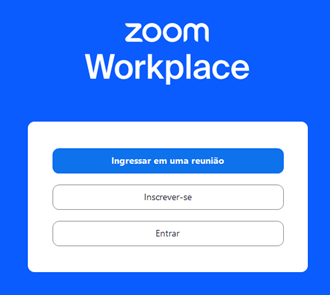
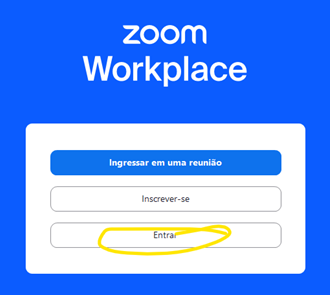
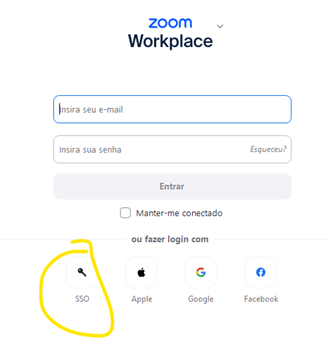
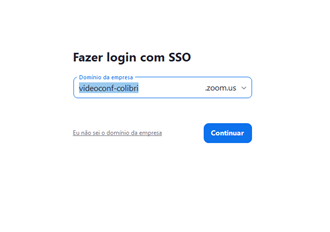

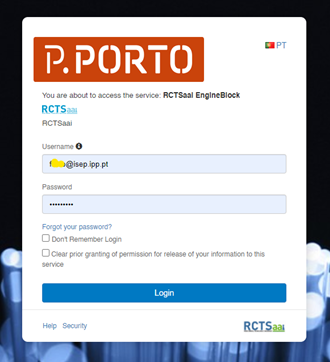
Zoom background + LASI

Zoom background

VPN (guide 14-11-2024)
We suggest follow the most recent steps at: https://www.isep.ipp.pt/isep/docpub
1 – install Open VPN or TunnelBlick
Open VPN (win):
- (soon)
Open VPN (mac):
- (soon)
- or
- https://openvpn.net/client-connect-vpn-for-mac-os/
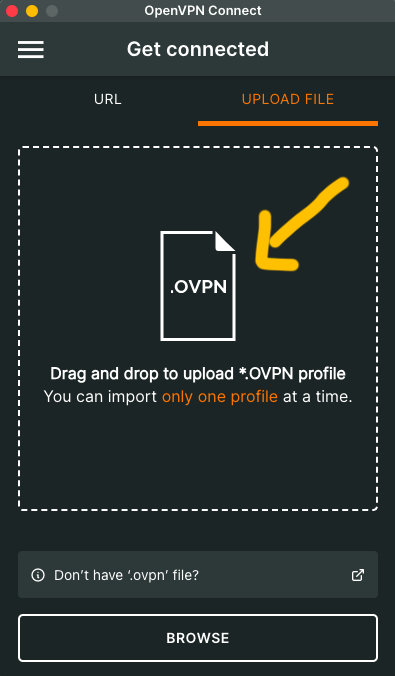
2 – Configuration File
Upload the file provided by IT team of GECAD.
3 – Log In in VPN
- 3.1 Username or acronym only, without the addition of @isep.ipp.pt (if you have trouble logging in, try using the full acronym in uppercase).
- 3.2 Password you use for the ISEP portal/email
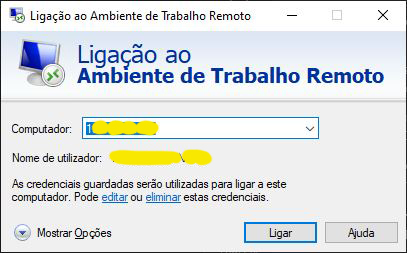
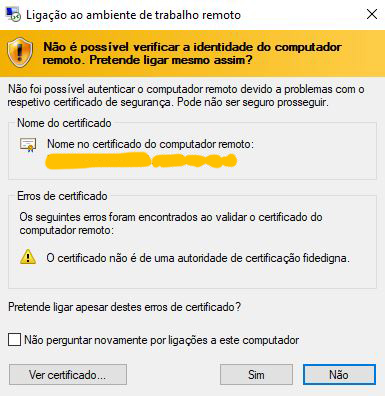
4 Remote
- Win: search remote
- Mac: Microsoft remote desktop (or similar)
- Put your acronym and password of the computer



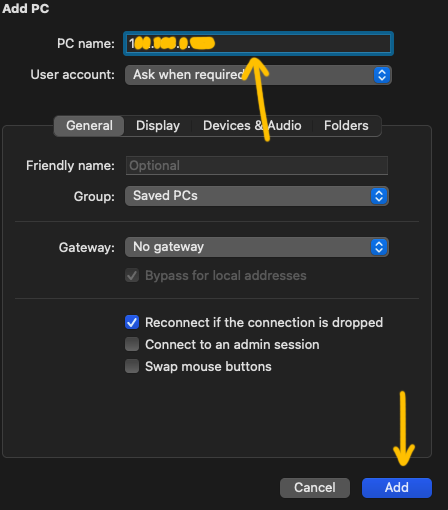
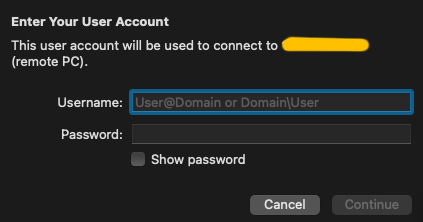
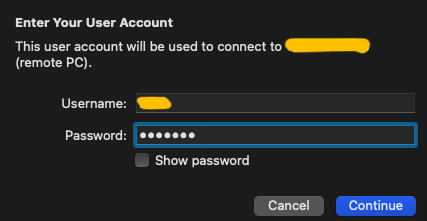
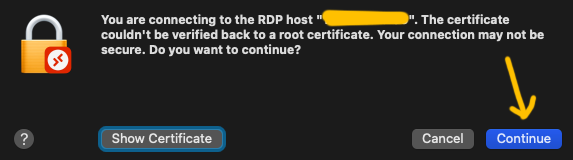
Windows remote steps:

Ciencia Vitae (guide)
- Register in CIENCIAVITAE with your institutional email.
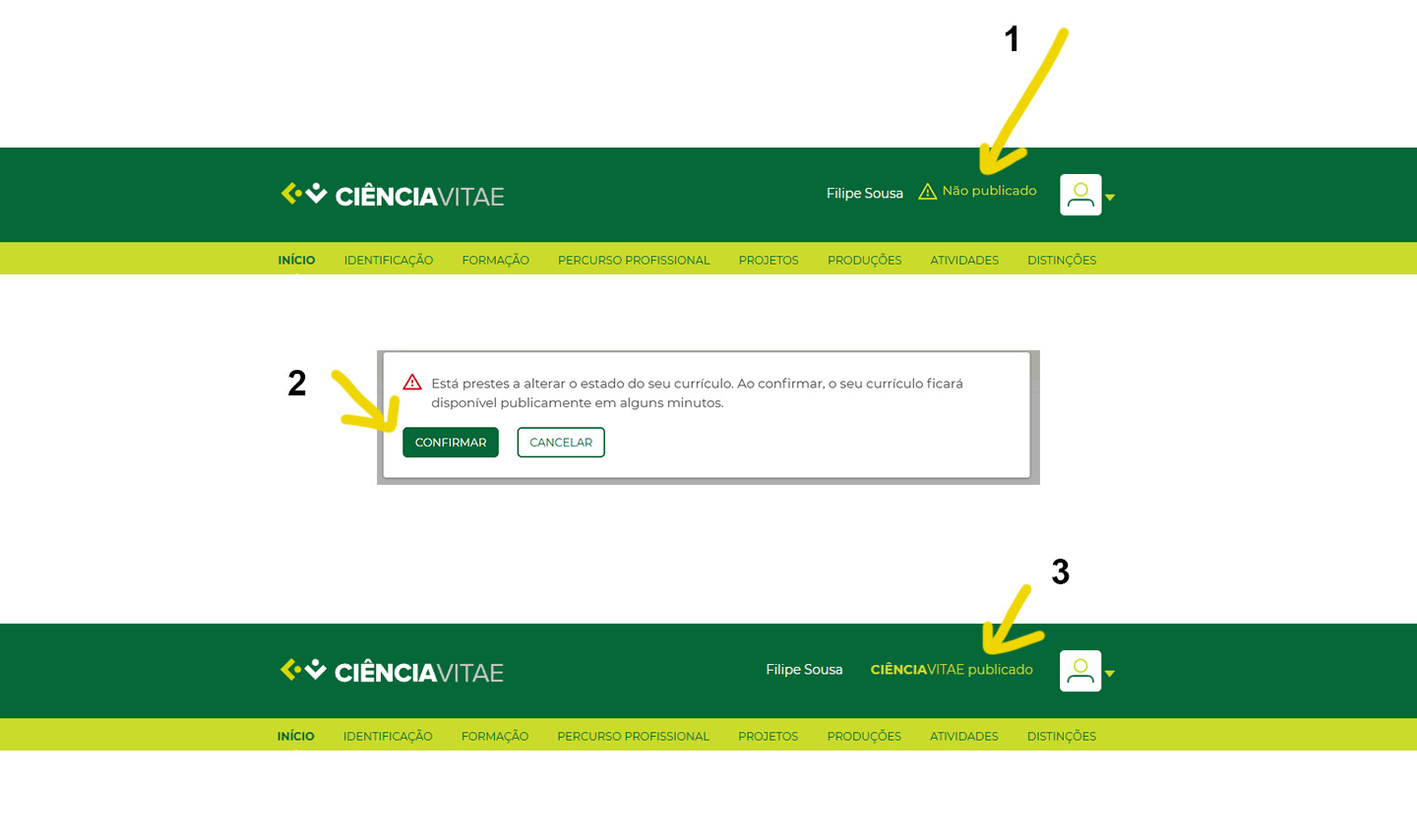
- Publish your CiênciaVitae profile (follow the instructions in the image below to make it visible).
- Complete your CV and information.
Note: your CV should always be up to date.